Set both numbers, and if you can only set one, set the per-session limit. A daily cap decides how much you are allowed to scroll. A session cap decides how deep any single descent goes. The daily cap fails in a completely predictable way: 45 minutes is one unnoticed sitting before lunch, and by the time it bites, the day it was supposed to protect is already spent. The session cap works because it does not ration the habit, it interrupts it. The interruption is the active ingredient.

Why does a daily limit disappear before lunch?
Because a daily budget is spent the way money is spent from a single pocket: fast, early, and without a running total in your head.
Think about how the 45 minutes actually goes. You open the app in bed. You open it in the queue for coffee. You open it at your desk when a task gets hard. That is not three decisions, it is one habit sampled at three points, and it is already 25 minutes. Somewhere around eleven the warning appears and you tap past it, because at that point the limit is not preventing anything. It is reporting.
That is the structural flaw. A daily total is a report, not a brake. It arrives after the behaviour, once, and the version of you receiving it is the tired version who has just been scrolling. It is the same reason screen time limits don’t work for most people: the enforcement moment and the temptation moment are the same moment.
The second problem is less obvious. Once the budget is gone, the rest of the day is unguarded. You have already lost, so there is no reason to stop, which is how a limit designed to protect your evening ends up licensing it.
What is a per-session limit actually doing?
A session cap does not care how much you have used today. It cares about the stretch you are in right now. You get a few minutes, then the app closes and stays closed for a cool-off period.
The effect is not rationing, it is a forced surfacing. You come up for air while you are still close enough to the surface to remember what you were doing before you went under. Ask someone what they were doing four minutes before they opened TikTok and they can tell you. Ask what they were doing forty minutes ago and often they cannot.
Short-form feeds work by removing every natural stopping point: no end of the reel, no bottom of the page, no credits. A session cap puts an artificial stopping point back, at a spot you chose in advance while you were calm. How apps are designed to be addictive covers why those stopping points were taken out.
Is one long session really worse than six short ones?
For the same total minutes, yes, and for three reasons.
Time distortion is not linear. The first two minutes of a feed are experienced; minute twenty-five is not. The memory of a long scroll is usually a blank with an opening and a closing attached, while six five-minute visits never reach the part you cannot narrate. If time blindness is already an issue for you, that gap is wider still.
It removes a whole block of your day. Life happens in blocks, not minutes: a workout, a chapter, a conversation, the hour before sleep. Forty-five minutes taken as one piece deletes an entire block. The same forty-five in nine pieces deletes none. You lose activities, not time.
The tail is the worst part. The last fifteen minutes of a long session are where the regret lives: not enjoying it, not stopping either. A session cap cuts the tail and keeps the head, which is the part you actually wanted.
Doesn’t chopping it up just distract me more often?
This is the honest counter-argument. Six five-minute interruptions scattered through a morning of deep work are worse for the work than one long session in the evening. Every re-entry costs something, and that cost is well documented in the real cost of context switching.
So a session cap is not a scheduling instruction. It limits how far you can go once you start; it says nothing about when. That leaves a gap, and the gap needs a third dial:
- Daily total governs volume, how much across the whole day.
- Session maximum governs depth, how far you go in one stretch.
- Scheduled blocks govern placement, windows where the answer is simply no.
Set all three and the session cap stops scattering interruptions into your working hours, because the schedule already removed those hours. Most people who say limits do not work have only ever set one of the three, and it was the daily total.
Daily cap vs session cap: what does each one control?
| Daily total | Per-session maximum | |
|---|---|---|
| Question it answers | How much today? | How deep in one go? |
| How often you feel it | Once, near the end | Every time you open the app |
| What it changes | Volume | The trance |
| Typical failure mode | Spent by 11am, rest of day unguarded | Feels naggy if you set it too tight |
| Negotiating with yourself | One big decision, high stakes | Many small ones, each low stakes |
| Best for | Opening the app often but briefly | Losing thirty minutes without noticing |
The row that matters most is the negotiation row. A daily cap hands your tempted self one enormous decision to win, and it only has to win once for the whole day to unravel. A session cap hands it a series of tiny ones, each genuinely easy to accept, because the cost of complying is a few minutes of waiting.
“I had a 45-minute daily limit on Instagram for eight months. Every day I hit it around eleven in the morning, tapped past the warning, and stopped thinking about it. Five minutes at a time was uncomfortable for about four days. Now the app just ends: I open it, I see what I came for, it closes. I cannot remember what I used to do with the other forty minutes.” — Hannah, paralegal, 27
How do I combine the two numbers?
Divide one by the other and read the answer out loud. Daily total divided by session maximum is the number of visits you are allowing. A 45-minute day with a 5-minute cap is nine visits. Under four, and one bad sitting still eats everything. Over fifteen, and you spend the day bouncing off a wall. Six to twelve is where most people settle.
Two things make the pair work. The cool-off matters as much as the cap, because a session limit with no waiting period is a page reload; ten to twenty minutes is long enough for an impulse to pass and short enough not to strand you, which is the case for a short cooldown over a day-long lockout. And put the same apps behind both numbers, or one will always be guarding something the other is not.
If you do not yet know what your two numbers should be, how to set a screen time budget picks them from your real average rather than your aspiration.
What should I set if I only set one?
Set the session cap, at five minutes.
Your problem is almost certainly not that you open Instagram too many times. It is that you open it and reappear somewhere much later than you meant to. A daily total does nothing about that until it is far too late; a session cap addresses it on the first opening of the day and every one after.
One exception. If you genuinely open a feed thirty times a day for thirty seconds each, your problem is frequency rather than depth. In that case the daily total is the number that will bind, and a scheduled block across your working hours will do more than either.
How does Unscrol help?
The honest starting point: you can get halfway there for free. Apple’s Screen Time gives you daily App Limits per app or category, Downtime for scheduled windows, and a real weekly average to work from. If a daily number plus a sleep schedule is enough to make you stop, you do not need anything else and should not buy anything. Where the built-in tools run out is the per-session half: iOS has no native per-sitting cap, and App Limits ship with a one-tap dismissal.
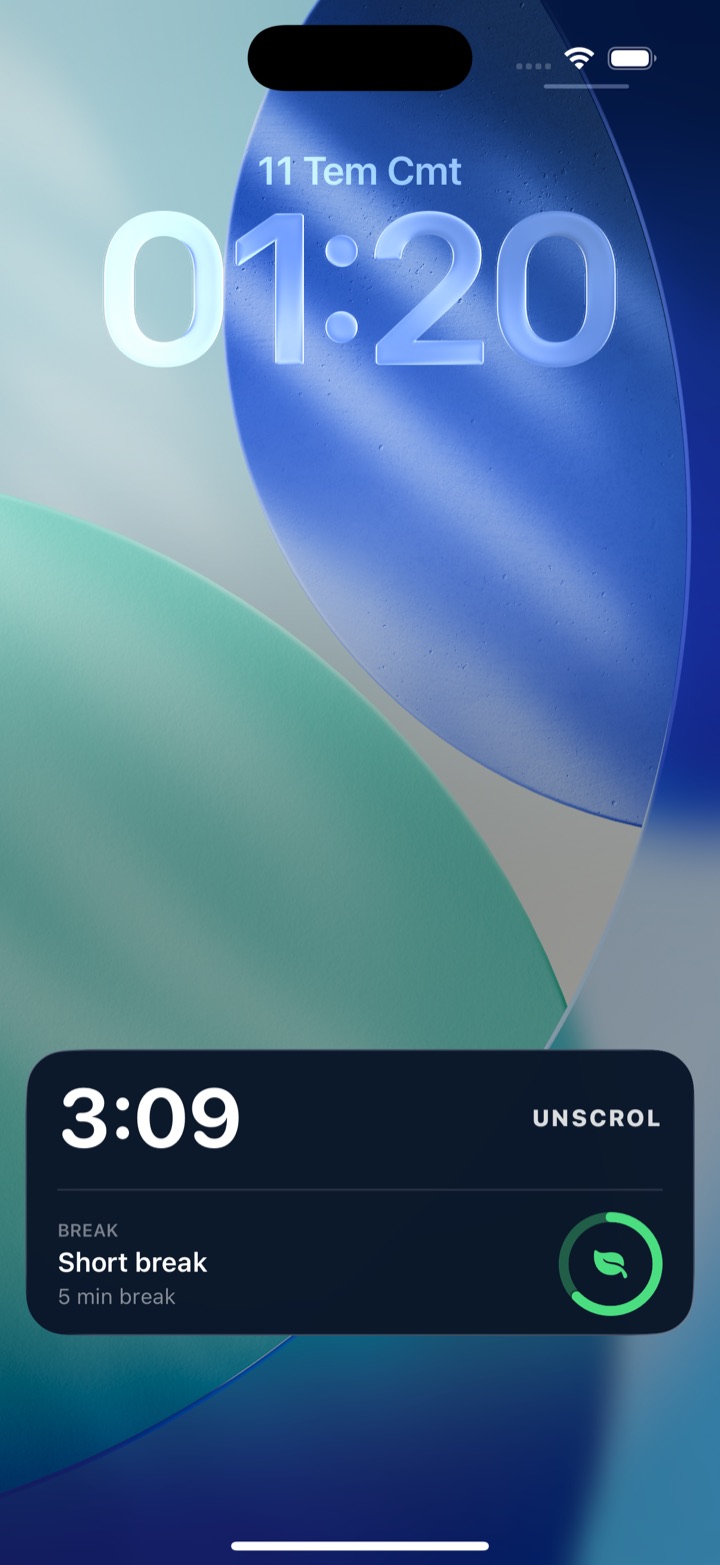
Unscrol is an iPhone and Apple Watch app built around exactly that pair of numbers. You pick a daily total (45 minutes by default) and a per-session maximum (5 minutes by default), and iOS enforces both through the Screen Time and FamilyControls frameworks rather than a cosmetic overlay. Use a session-sized block of your budget and the chosen apps lock for 15 minutes; spend the whole daily budget and they lock until tomorrow. A streak counts every day you stay under budget, and home-screen and lock-screen widgets show what is left without you opening anything. For the placement dial, Shield is blocking you schedule by time of day, and switching it off mid-session is deliberately slow: a breathing exercise and a wait, not a one-tap dismissal.
Two caveats, plainly. The numbers are estimates, because iOS reports usage through crossed thresholds across an interval rather than exact minutes, so treat the budget as approximately right rather than precise to the second. And iOS hands the app opaque tokens, never app identities: Unscrol cannot see which apps you picked, their names, their icons or your per-app usage. The system draws the app picker; the app only draws the frame around it, and block lists and usage data are processed on-device by iOS and never reach Unscrol’s servers. Free to download, with an optional premium tier adding Streak Saver for a missed day and five concurrent challenge slots instead of one.
Frequently asked questions
What is the difference between a daily screen time limit and a per-session limit?
A daily limit is a total budget for the whole day, such as 45 minutes of social apps. A per-session limit caps a single continuous stretch, such as 5 minutes at a time, and then locks the app for a cool-off period before you can open it again. The daily limit controls volume and only bites once, usually long after the habit has run. The session limit controls depth and bites every time you open the app. They solve different halves of the problem, which is why most people who succeed end up setting both.
Is a 5-minute app limit too short to be useful?
Five minutes is short on purpose. It is long enough to check a message, reply to a comment, or look at the one thing you opened the app for, and too short to fall into an autoplay feed. The point of a session cap is not to give you a satisfying amount of scrolling. It is to end the session while you can still remember why you opened the app. If five minutes genuinely does not cover your real use of an app, that app probably belongs outside your budget rather than inside it with a bigger number.
Should I use a daily limit or a session limit if I can only pick one?
Pick the session limit. A daily limit is spent in a single unnoticed sitting and then leaves the rest of the day completely unguarded, which is why so many people hit their cap before lunch and ignore it by dinner. A session limit applies to every single opening of the app, so it keeps working at 9am, at 3pm and at midnight. It also targets the failure mode most people actually have, which is not scrolling too often but scrolling for far longer than they intended without noticing.
Does iPhone Screen Time have a per-session app limit?
No. Apple's built-in App Limits are cumulative daily budgets for an app or a category, and Downtime is a scheduled window. There is no native setting for a per-sitting cap, and iOS measures usage cumulatively across an interval rather than per sitting. Third-party apps built on Apple's Screen Time API can approximate one by watching for a session-sized chunk of the budget to be used and then shielding the chosen apps for a fixed cool-off period, which produces the same practical effect: the app closes and stays closed for a while.